
Menus from Hell and Knobs from the Past
The E-Drum UI Problem: Press, Scroll, Pray

It’s the 21st century and we have electronic toasters with more advanced user interfaces than some e-drum products.
I’m sure I don’t have to name and shame, but two of my favourite electronic percussion instruments were designed in the early 2000s, and to navigate the functions or access settings, you need to press combinations of buttons. Both also require the transmission of SysEx files to a computer for permanent storage.
I understand the “if it ain’t broke, don’t mess with it” philosophy, but Apple didn’t get to dominate the mobile phone market by replicating what Nokia had done. They realised that the key to success was making products so easy to use that people don’t EVER reference the owner’s manual — if they even know where to find it.
The Touchscreen – A Module Holy Grail?
The touchscreen, now a standard in everyday tech, has its roots in the 1960s, first used in the UK’s air traffic control system. Over the next few decades, the technology evolved, appearing in industrial devices, ATMs, and eventually consumer gadgets.
In the 2000s, touchscreens became truly mainstream, driven by advances in capacitive multitouch systems — most notably with the release of the iPhone in 2007. These allowed for responsive, gesture-based interfaces that revolutionised how users interacted with devices.
In the world of electronic drums, touchscreens arrived much later — and they are still far from mainstream. Even the latest Roland flagship module released last year still uses knobs and buttons.
I’ve seen the slow evolution of module user interfaces – from the early Simmons' basic button- and knob-based controls governing parameters like decay, pitch, tone, noise level, and click. There were no screens, just LED indicators.
The SDS-7, released in 1983, brought significant advances, adding a small LED display and a numeric keypad. You entered parameter codes and values manually — for example, selecting a pad, then entering a parameter code (like pitch or decay) and typing in a value.
When the 2box DrumIt Five came out, I angered the developer by suggesting that the user interface was not optimal, and the menu system was not intuitive.
That module hit the market in 2011, and maybe I was expecting too much, because another reviewer praised its “simple but effective graphic interface”.
Admittedly, a touchscreen would have been prohibitively expensive at that time, but I was disappointed with the menu logic and the fact that it was controlled by a rotary knob and a few buttons. (That design still persists with all 2box products and derivatives, so clearly, a lot of people don’t share my expectations.)
Until 2017, the norm for drum modules was buttons, knobs, and sliders (if you were lucky), and small text displays.
One of the earliest e-drum modules to fully embrace touchscreen control was the Pearl mimicPro, launched in 2017 in partnership with Slate. Its 7-inch full-colour touchscreen gave drummers a studio-style editing experience: drag-and-drop kit building, quick access to FX chains, and visual mixing — all from a finger-friendly GUI.
Following suit, GEWA’s G9 Workstation introduced an even larger 10-inch touch display, offering deep editing of pad settings, mixer channels, and USB audio routing in a DAW-style layout. Rather than hailing this as a breakthrough, e-drum forums fixated on the display’s lagginess, even after the performance was improved in firmware updates.
Alesis also added a responsive 4.3-inch touchscreen to the Strike Pro module, combining traditional controls with modern visual feedback.
More recently, touchscreens have made their way into lower-range modules, including the Donner DED-500 Series, launched in 2023; the Donner DED-200X, from 2024; and the NUX DM-8, which hit the market in 2023.
What About the Big Guys?
Of course, glaringly absent from the touchscreen hall of fame above are the two biggest names in e-drums.
You won’t even find one on the new Roland V71 flagship module, although you will find Roland’s biggest colour LCD screen to date — 4.3-inch — and a heap of sliders, knobs, and buttons.
Similarly, Yamaha has shunned the touchscreen in its latest module generation, the DTX-PRO and PROX.
I’ve been told that the big two have consciously avoided touchscreens in their pursuit of pro-grade performance and reliability – which may or may not be a valid argument.
I’m not saying a touchscreen is a dealbreaker – but a modern, intuitive user interface is essential.
Honourable mentions in the non-touch category must go to Roland, which has a button or dial for virtually every function on the V71, as well as some intuitive (although very complicated) menus. But then, I have virtually grown up with the Roland ecosystem, dating back to my TD-3 – which certainly didn’t have many buttons, knobs, or controls.
ATV did a good job of bringing e-drum UIs into the 21st century with its aD5 module — a path further refined by the renegades who formed EFNOTE, where the EFNOTE 3, 5, and 7 modules are easy to navigate with high-clarity colour screens and intuitive button-dial combinations.
The same is true of the latest Simmons modules, although personally, I would have opted for smaller graphics and bigger text fonts. However, for drummers under 40, maybe a picture is worth more than a thousand words.
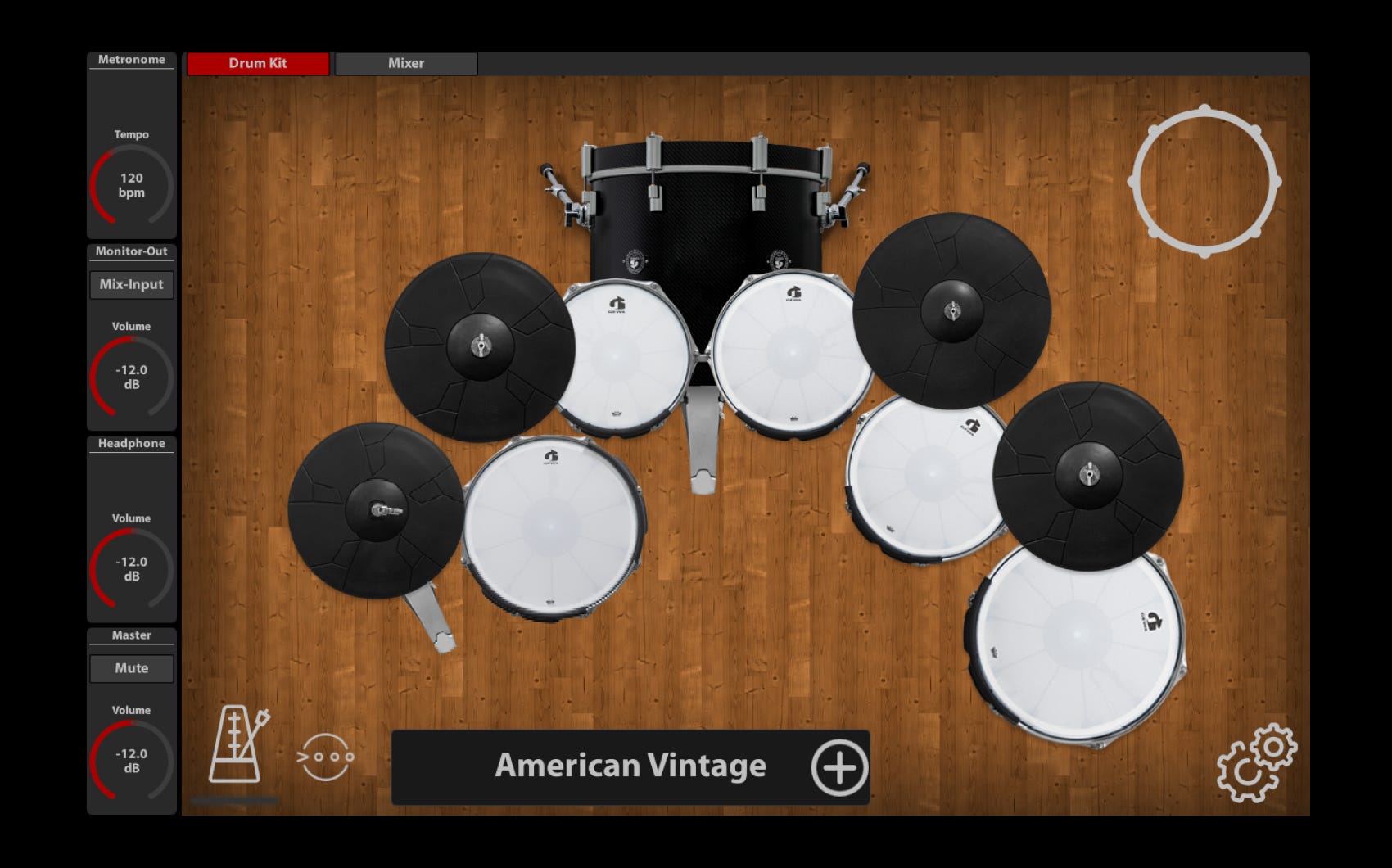
What About No UI at All?
In my research for this article, I spoke with Robert Jonkman, the inventor and manufacturer of the eDRUMin trigger interface.
His product is a featureless box with no screen, no knobs, no dials – nothing!
“The main reason that eDRUMin doesn't have an onboard control system is because adding lots of buttons and displays makes the hardware a lot more difficult and costly to develop, especially when you are a small developer with limited resources. And even if the complexity and cost weren’t relevant factors (but they are), having hardware controls has a bunch of other downsides,” he says.
These include forcing restrictions on the size and the shape of the hardware and adding complexity to future development.
So, you need to connect the eDRUMin to a phone, tablet, or computer to control it.
There’s a similar approach for the recently released DrumPi USB sound expander.
And over the years, we have seen a number of apps released as virtual graphical user interfaces for drum modules.
At the entry level, Simmons released apps which enabled users to do anything from adjusting trigger parameters to playing practice songs for its modules.
Yamaha had a string of apps to augment its modules and has continued that trend with apps for the latest-generation DTX PRO modules. Again, these allow users to perform all of the module adjustment functions, but with the benefit of a large touchscreen if they use a tablet.
And Roland has even come to the party with the V-Drums TD-50X Editor, a free software-based editor which “extends your editing workflow with a large computer screen and mouse control.”
I mentioned the antiquated user interfaces of a couple of my favourite e-percussion instruments at the start of this article.
Thank goodness, both of those instruments are now augmented by remote app or computer editors/controllers.
The Zendrum, an instrument which in reality has changed very little since its invention in the mid-1990s, has a up/down/left/right controls and a simple text display, so changes can be pretty tedious. Thankfully, all new instruments come with a free ZenEdit Visual Editor, which makes it significantly easier to edit its myriad controls and refinements. The latest remote tool, Zendrum Studio, is a paid add-on ($US99).
The TrapKAT from Alternate Mode is a trigger pad/controller/sound source all in one, but controlling the beast is not for the faint-hearted. Edits are done via one of four foot pedals and then strikes to specific pads. Even after years of ownership, I still struggle to remember which pad controls which function.
Mercifully, new owners don’t have to climb the same mountain – there’s now a visual editor, downloadable for free, that enables you to do all the editing on your computer and then pump the edits via MIDI back to the instrument.
Touch Down: Final Thoughts
So, there are a few drum modules that have embraced the latest technology and the iPhone ethos of making devices so intuitive that you never need to consult the manual. Of course, we’re now so used to touchscreens that this approach is almost the de facto GUI standard.
I am a big fan of both the (now-defunct) Mimic Pro and the GEWA G9, and learned my way around both of those really quickly thanks to the clever menu designs and ease of tap-to-change.
But I’m not suggesting that touchscreens are the only option here. I don’t mind if there are dials, buttons, sliders, or knobs — but it is important to allow users to quickly and easily make changes, without needing to get into the developer’s mind to understand the complex menu structure.
And maybe we need some ground rules or a common language, so to speak. Even today, some modules automatically save your changes; others require an extra “save” step. Some apply changes universally, others apply them kit by kit or instrument by instrument. And there’s not a lot of logic to these decisions.
Again, let’s learn from the iPhone. The aim is to allow drummers to play – not to turn them into computer programmers.
Keep it simple, make it obvious, minimise the menu diving, and please, please, please – let’s have fonts big enough for baby boomers to see without their reading glasses.
Thanks Allan i do like this article!
Personally i developed a custom App to address core issue (preset choice text & imagery) for live use and extend/bring deep midi functionality into use. ... ie i read and implemented aspects of the MIDI allocation manual!... def not an exercise for the casual drummer... i'll publish it at some point
overall i guess at moment i'm liking the Roland TD 27 ... i also have a 2box D5 mk2 ... some interesting trade offs between these two output IO & sound wise
i use 27's master, phones and backing knobs a lot...
the four knobs Ins, Lev, Tuning, Muffle allow quick tweak thats sometimes needed v fast live too.. id say thats all based on user feedback...
after that its menu surgery for me that pretty much needs to be done in calm thoughtful space
the eDrumin guy is v smart and i like that product too. only catch is its a 'partial' solution... still need a Sound Engine and Audio Interface... its handy tho... 'set forget' (handy muso mantra... think Mackie wifi PA mixers... )... at a festival u may only have 10 mins to be set up & ready to play...
as computer devices get better and people understand 'the system' that makes great eDrums (incl sensor signal, buffer size, comms, chip speed, memory) things will get more interesting on mobile devices.... tho USB MIDI comms is prob borderline & too chunked/contested... if u forget hihat & ride its def not a problem tho
3x🍻R
I can only speak from my experience playing in live situations. I'd rather have knobs and buttons to push or turn rather than diving through menus on a touch screen. When I need to make an adjustment "on the fly", I rather turn or push a button......Roger Whitsett